
Online appointments, with no phone calls and no double bookings
Your customers book a day and time from their phone. You see the whole day’s schedule on one screen, and every appointment goes into your schedule, and into Google Calendar or Outlook, by itself.

How it works
Three steps, and not a single phone call.
The customer picks a day and time
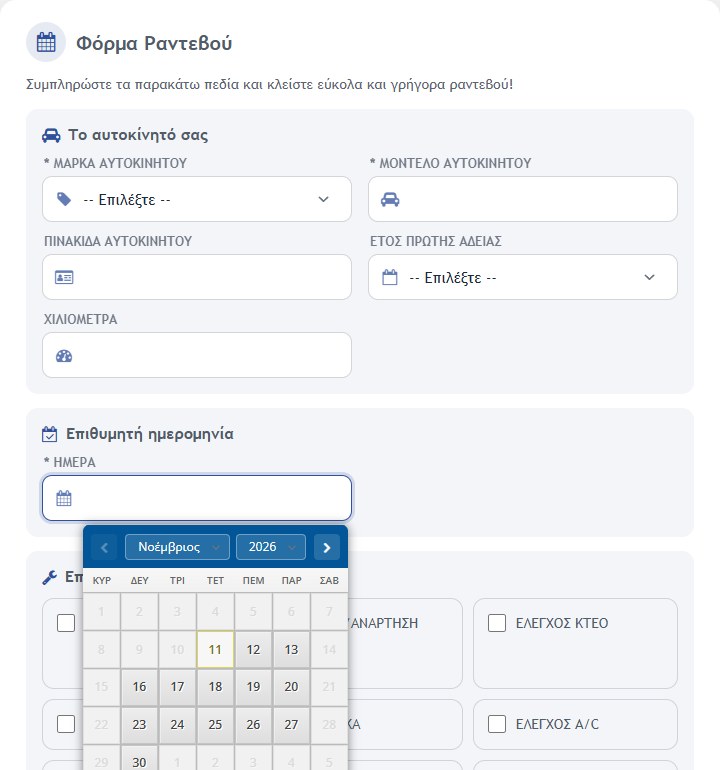
They open the form on their phone or computer and pick a day and one of the free hours. No account is needed.
The appointment goes into the schedule
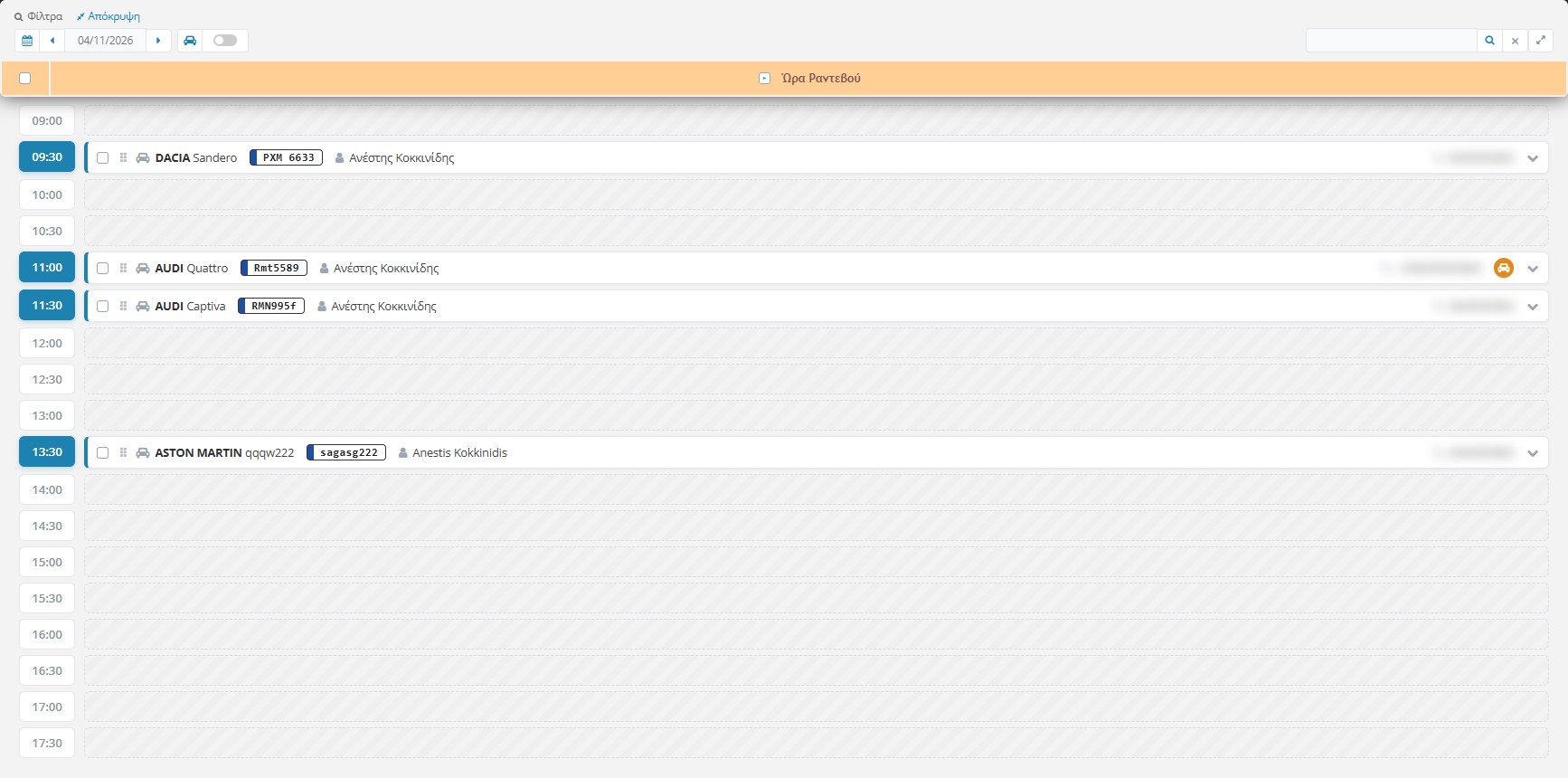
It shows up in your daily schedule at once and, if you want, in Google Calendar or Outlook. The hour is taken and nobody else can book it.
Email notification
A notification email is sent with the text you define, in the customer’s language.
What is included
Everything a business that works by appointment needs.
A form with no account
Customers book without signing up. If they are logged in, their details fill in on their own.
No double bookings
Booked hours are greyed out and cannot be picked. If someone takes the hour first, the system catches it.
Your own fields and opening hours
Titles, icons, option lists and opening hours change from the settings, in Greek and English, so the form fits your business.
Daily schedule
One row per hour, with free and booked hours. Open an appointment for all the details and move it by dragging it.
Courtesy vehicle
Optionally, the customer requests a vehicle for the appointment, which automatically becomes unavailable for the next ones.
Search and printing
Find appointments by email, name or phone, and print the details and the requested jobs.
Automatic sync with Google Calendar and Outlook
Every appointment goes by itself into the calendar you already use, without typing anything by hand.
- Connect Google Calendar and Microsoft 365 / Outlook, or both together
- A new appointment, a time change or a cancellation reach the calendar immediately
- See your schedule on your phone, wherever you are
- One button removes from the calendar all the appointments the eShop added
- Prefer something simpler? A calendar link or an .ics file in the appointment emails

See it from the inside
On one side the customer’s form, on the other your schedule.
Made for garages, fits any business
The default form is built for a car garage: make, model, plate and jobs you pick with a tick. Every field can be changed or hidden though, so the same feature works for service centres, tyre shops, opticians, clinics, hair salons and any business that books hours.
- Greek and English on every field
- Your labels follow everywhere: form, schedule, print, email
- Your own opening hours and job lists
- Your own text in the notification email
See Appointments working in your own business
Book a meeting with us and we will show you live how it works, how it connects to Google Calendar and Outlook, and how it adapts to your needs.
Book a meeting with us