
Product list in the store
The product list is where the customer browses the catalogue: it opens from a menu category, a manufacturer or a search.
The product list
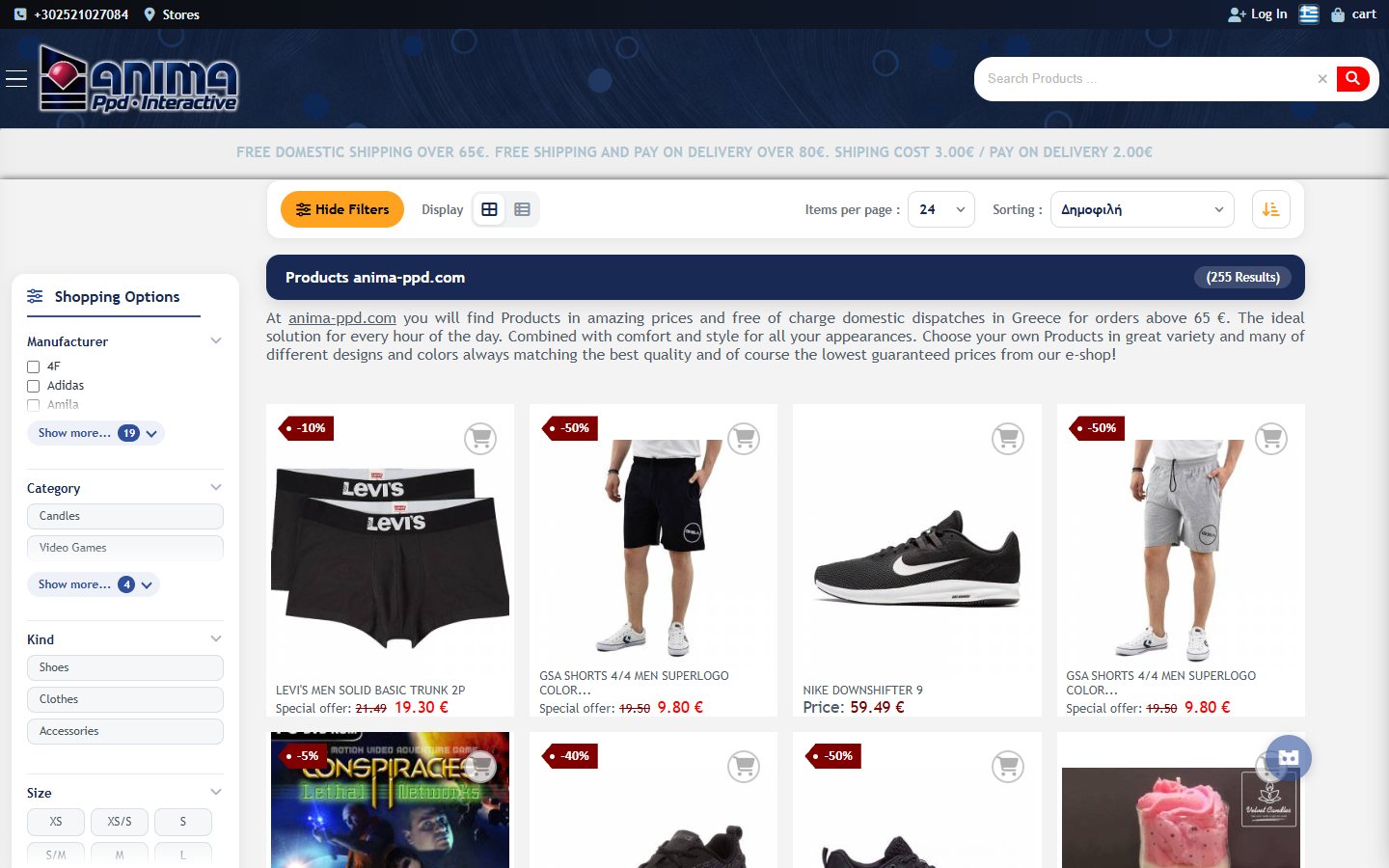
Above the products are the title of the category or filter, the number of results and an introduction text.
View, items per page and sorting
- Hide Filters: hides the filter column so the products can spread out.
- Display: a grid with large photos, or rows with more information.
- Items per page: from 4 to 384.
- Sorting: latest arrivals, popular, new, price, alphabetical, kind or discount. The button next to it reverses the order.
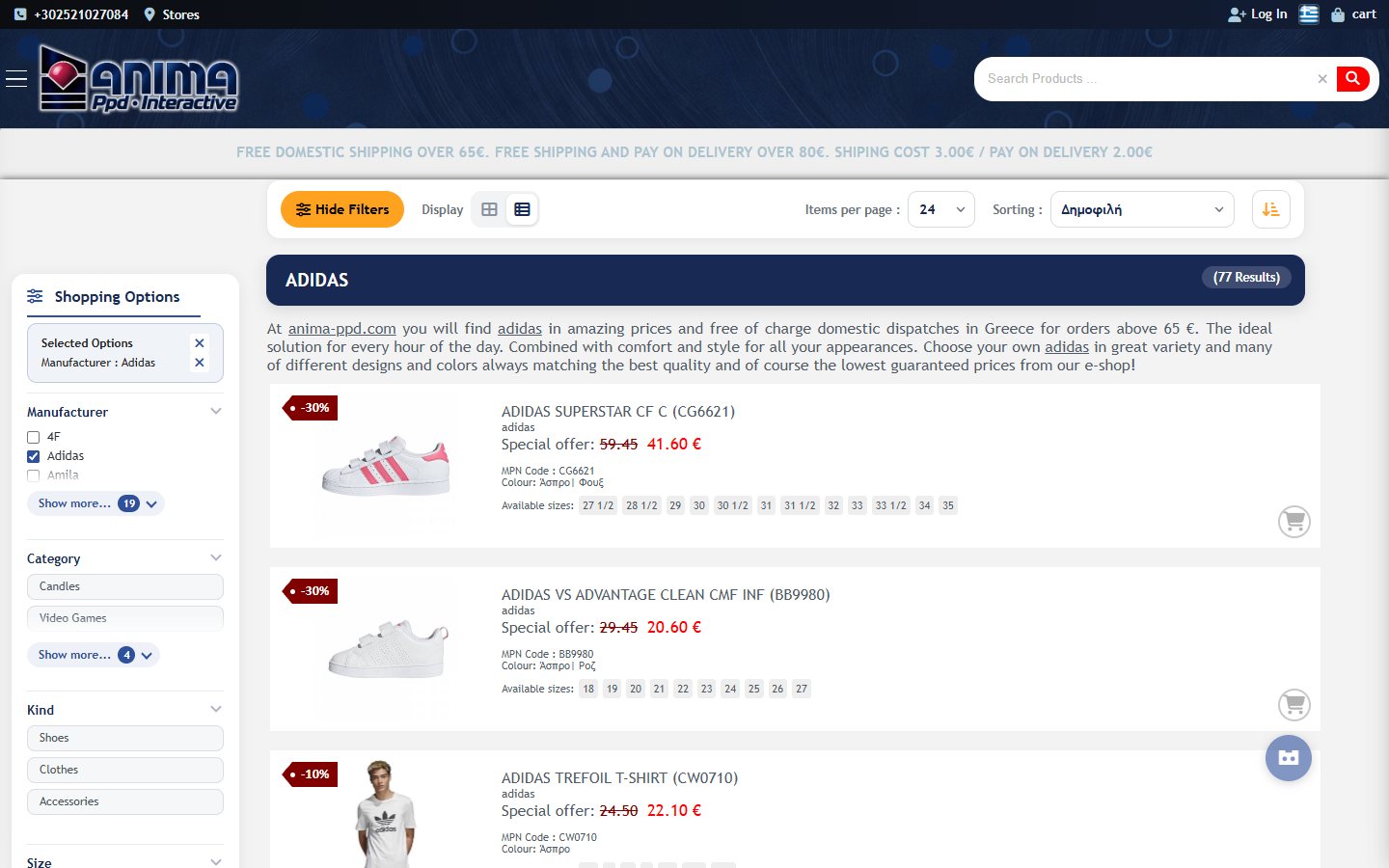
In row view each product also shows its code, colour and available sizes.
Filters
In the left column the customer chooses manufacturer, category, kind, size and the other attributes of the listed products. “Show more” opens all the values of a group.
Active filters are gathered at the top, under selected filters, and are removed with ×, one by one or all together.
The product card
- The red label shows the discount percentage.
- The original price is struck through next to the offer price.
- The cart icon opens fast checkout without leaving the list.
- Clicking the photo or name opens the product page.
When Interest Requests is active, products without stock are shown too, marked as available on request.
On mobile
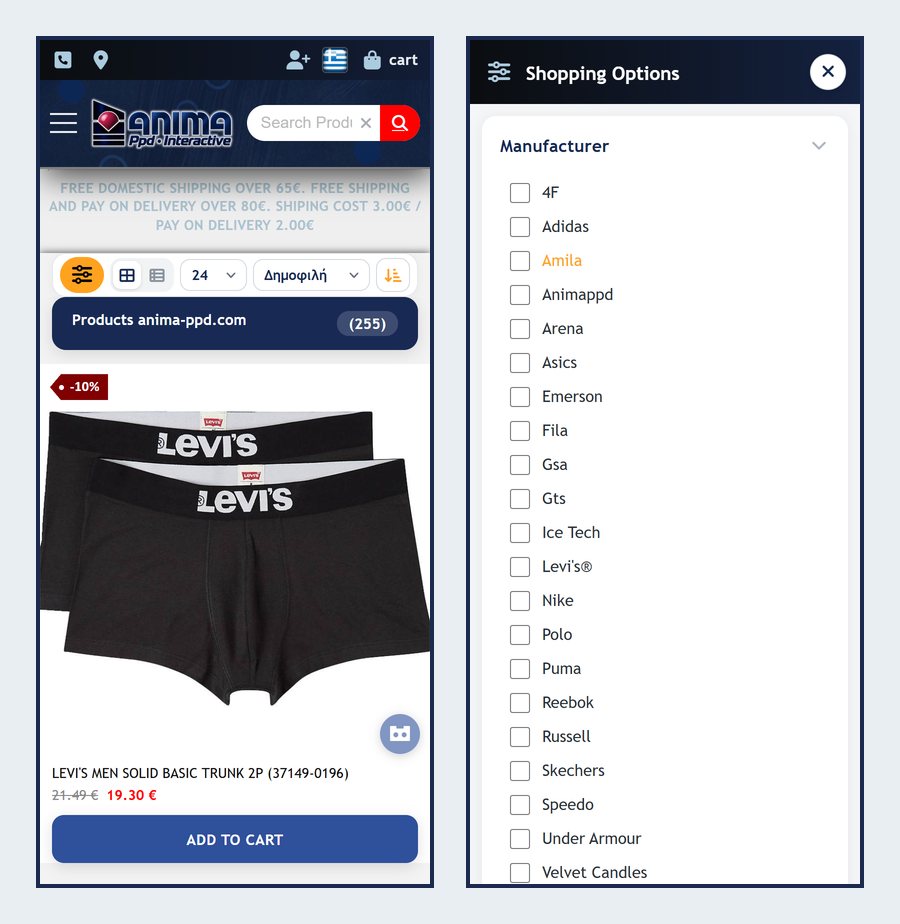
The filters button opens the filters full screen. Next to it are the view, the number of items and the sorting.