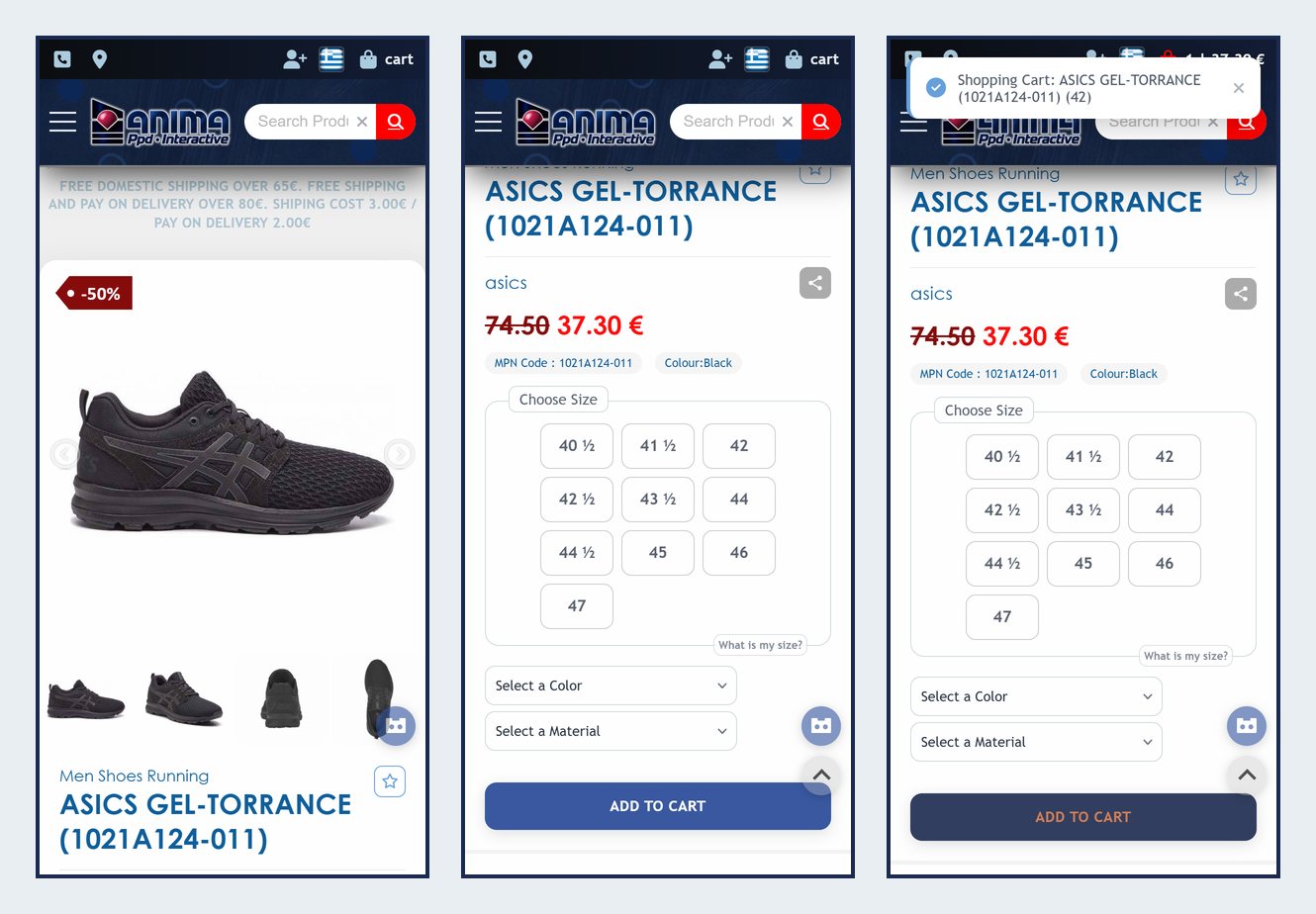
Product page and fast checkout
The product page brings together everything the customer needs to decide: photos, price, sizes, description, reviews and suggestions.
- The product page
- Size, options and cart
- Photos
- Description, reviews and suggestions
- Fast checkout
- On mobile
The product page
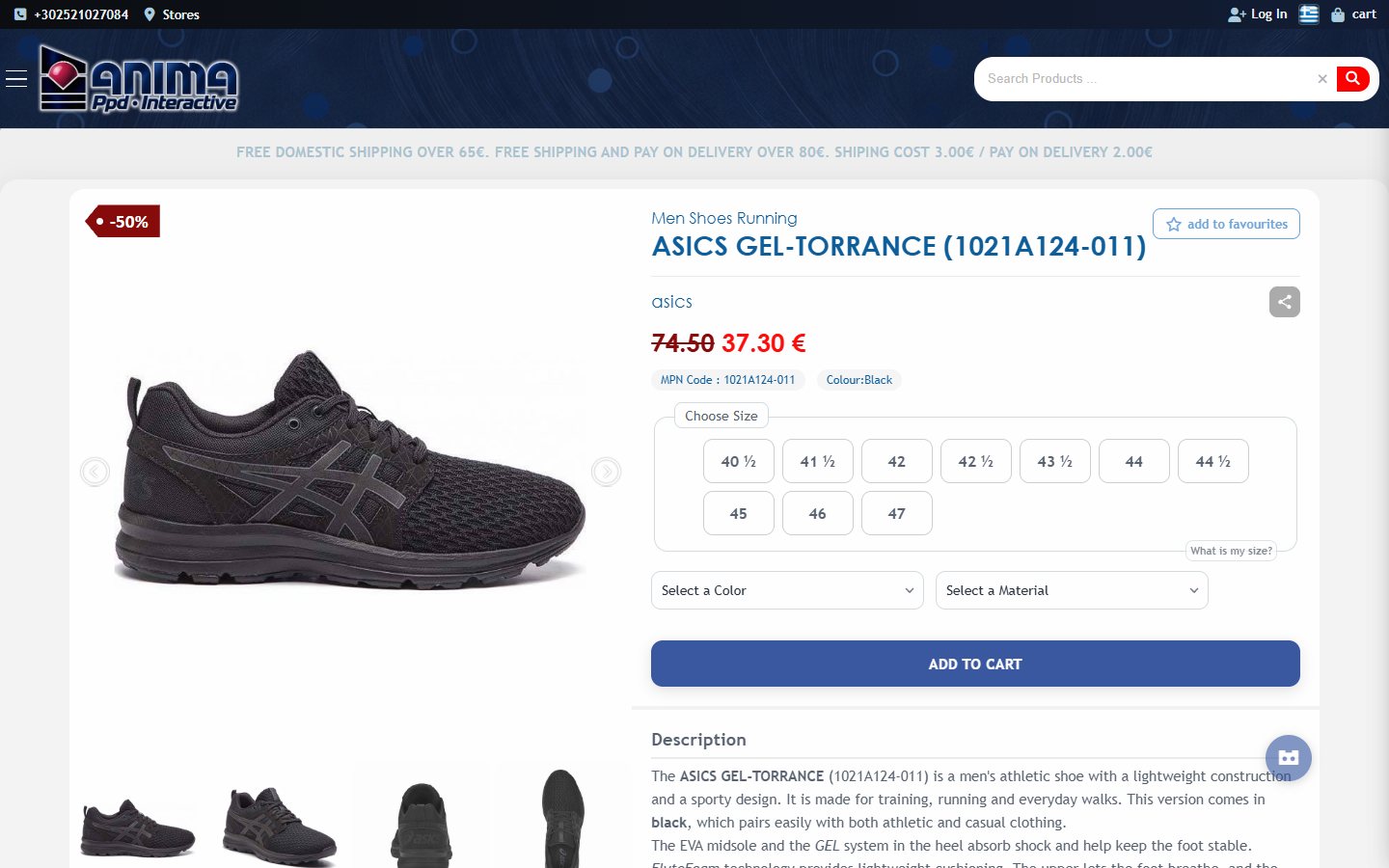
- Title, category and manufacturer.
- Price: with the original struck through and the discount percentage on the photo.
- Code and colour.
- Add to favourites: the product joins the customer’s list (login needed).
- Share: the icon next to the manufacturer.
Size, options and cart
The customer picks a size and, when the product has extra options (for example a colour or material with an extra charge), picks them from the lists. Add to cart shows a confirmation message and updates the top bar without reloading the page.
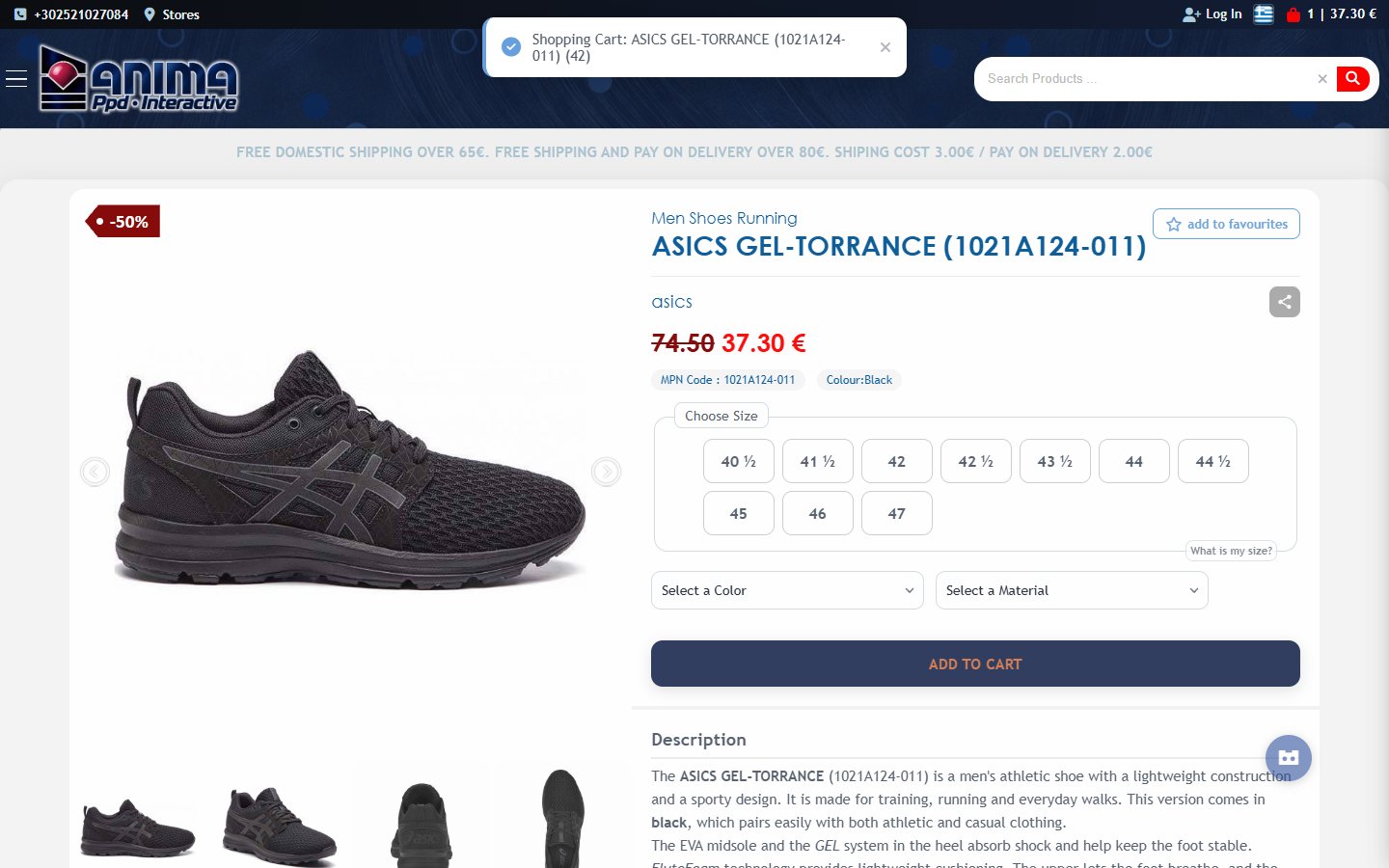
What is my size? opens the manufacturer’s size guide, when one has been entered.
With Interest Requests active, a product or size without stock shows an interest form instead of the cart button.
Photos
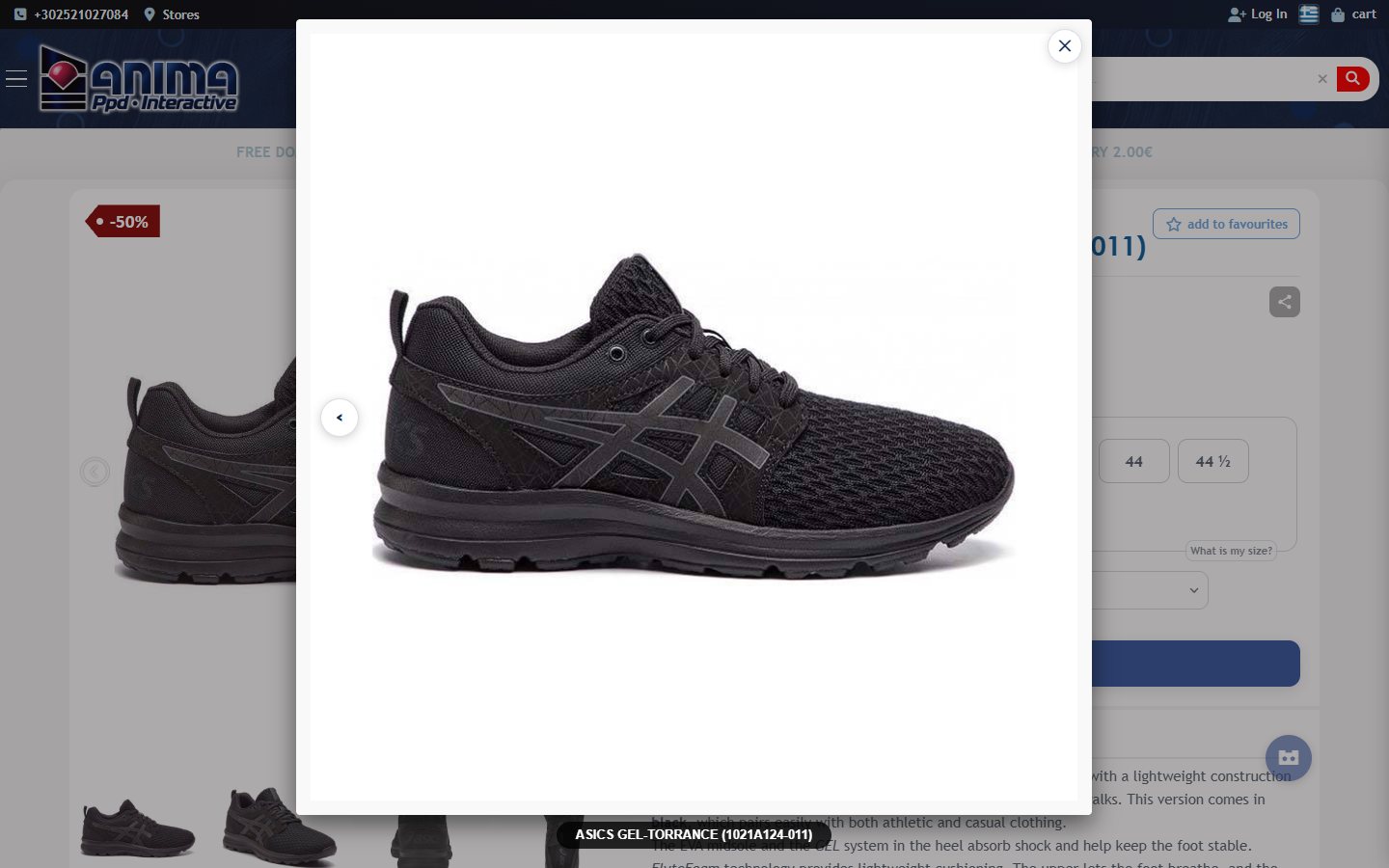
Thumbnails and arrows change the photo. A click opens it enlarged.
Description, reviews and suggestions
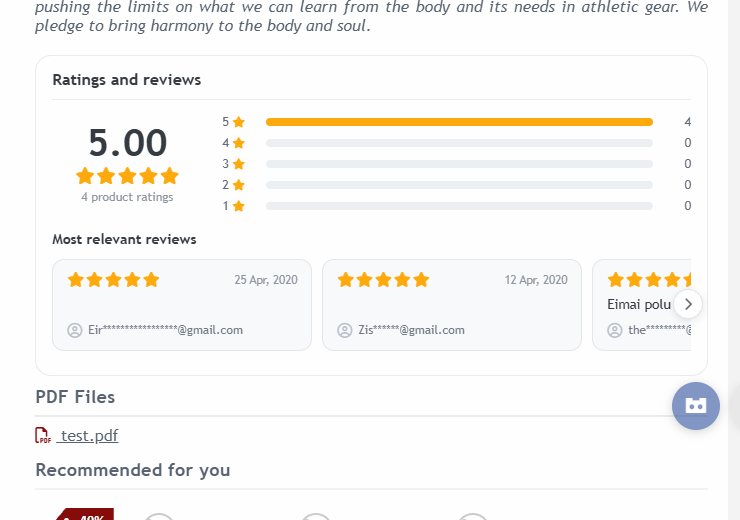
Under the buy button are the description, a few words about the manufacturer, PDF files (such as specifications) and recommended products.
Reviews show the score, the star distribution and the comments, with part of each customer’s email hidden.
Fast checkout
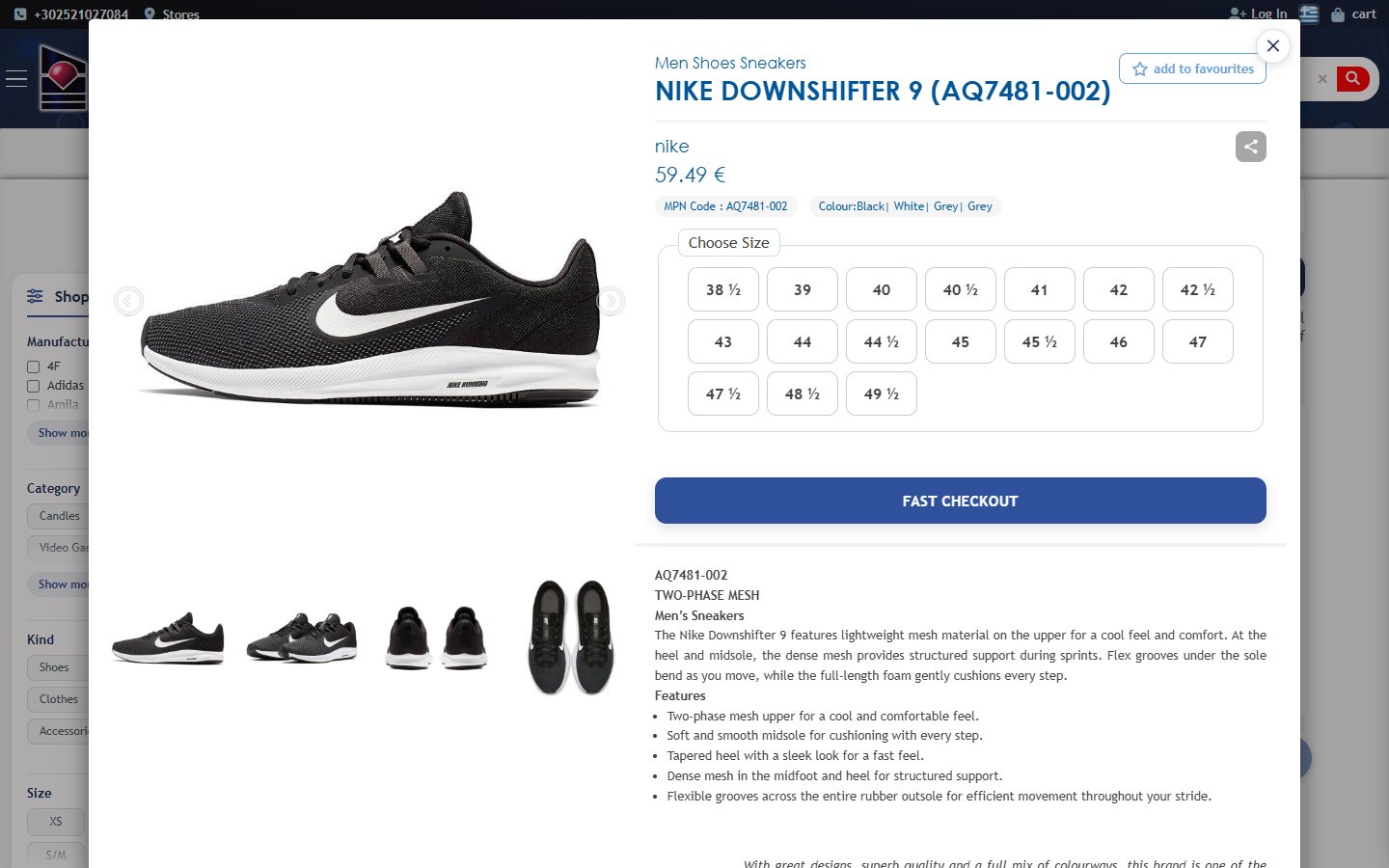
From the list or the suggestions, the cart icon opens the product in a window. The customer picks a size and Fast Checkout puts it in the cart and goes straight to completing the order.
On mobile