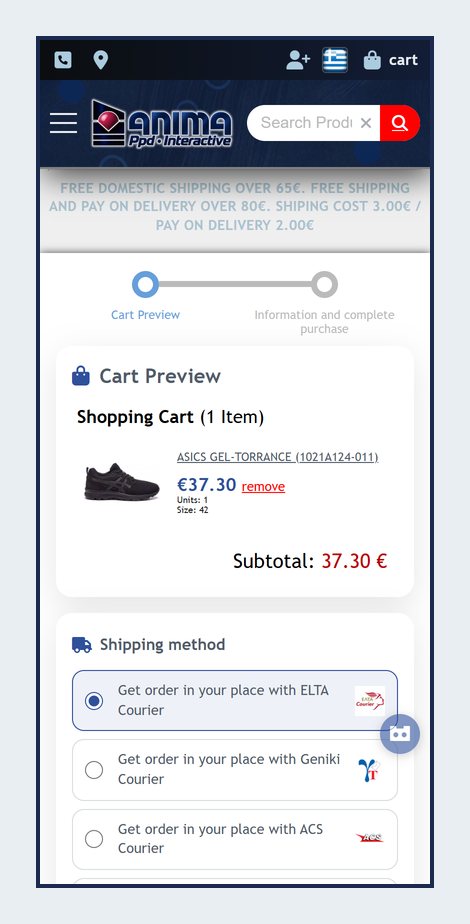
Cart and checkout
Buying takes two steps: first the cart with the shipping and payment method, then the customer’s details and sending the order. Ordering is possible without an account.
The side cart
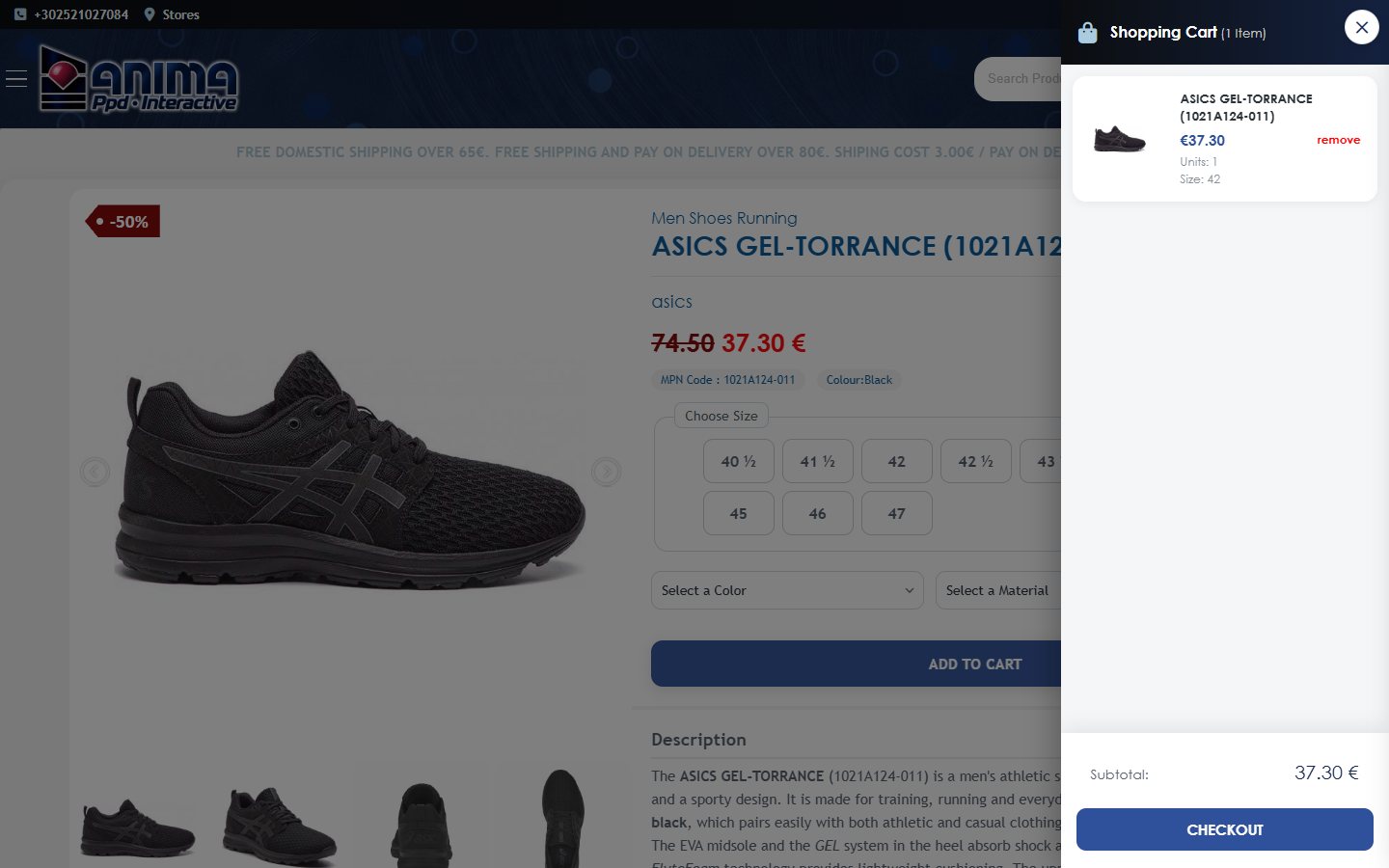
It shows the products with size, quantity and price, lets each one be removed, and Checkout goes to the first step.
Step 1: cart, shipping and payment
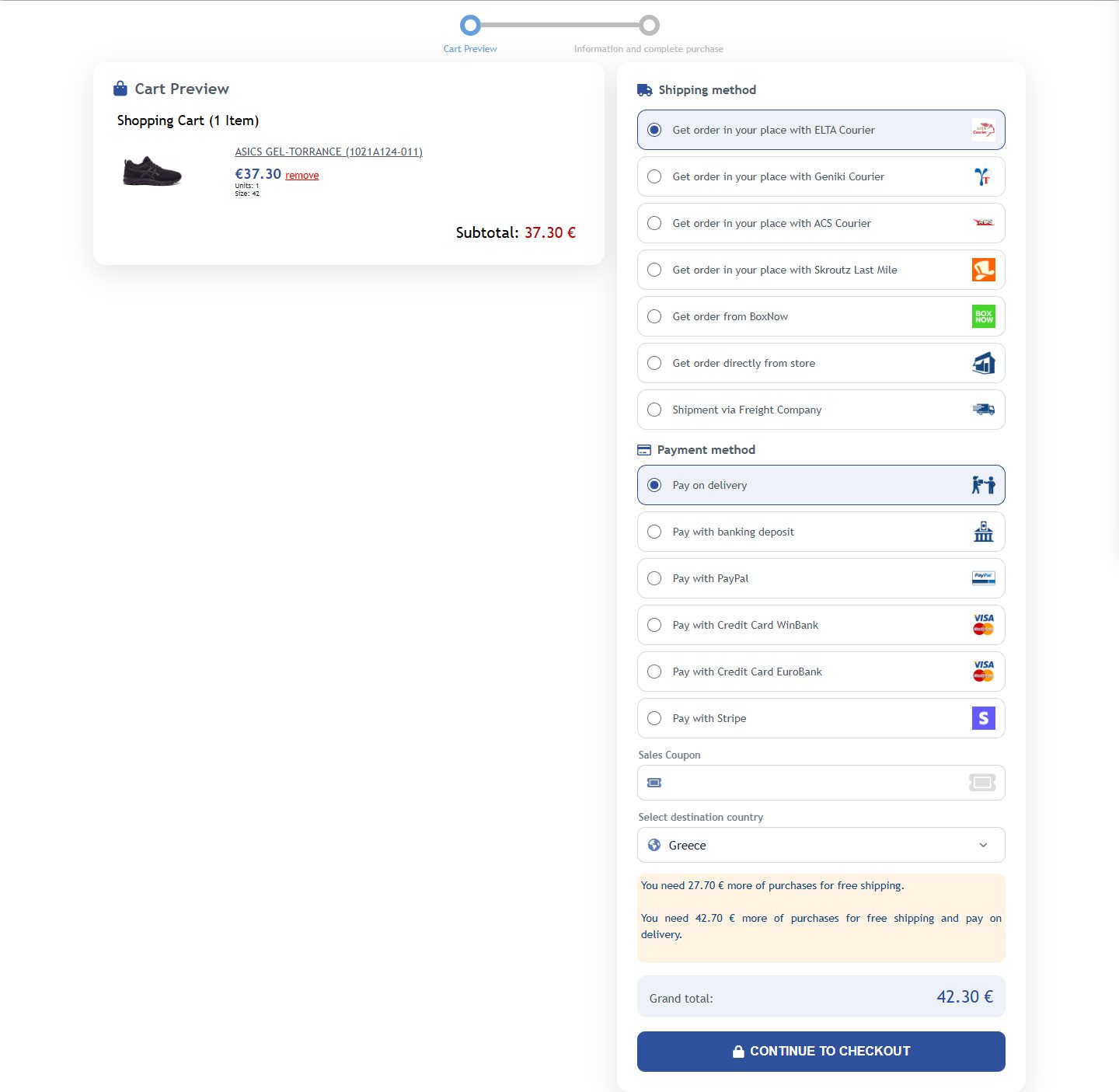
- Shipping method: the ones you have active, such as courier, BoxNow locker, store pickup or transport company.
- Payment method: such as cash on delivery, bank deposit, PayPal, card through a bank or Stripe.
- Discount coupon: shown when Coupons are active.
- Destination country.
- Reminder: how much more is needed for free shipping and cash on delivery.
- Grand total and the button to continue.
Step 2: details and sending
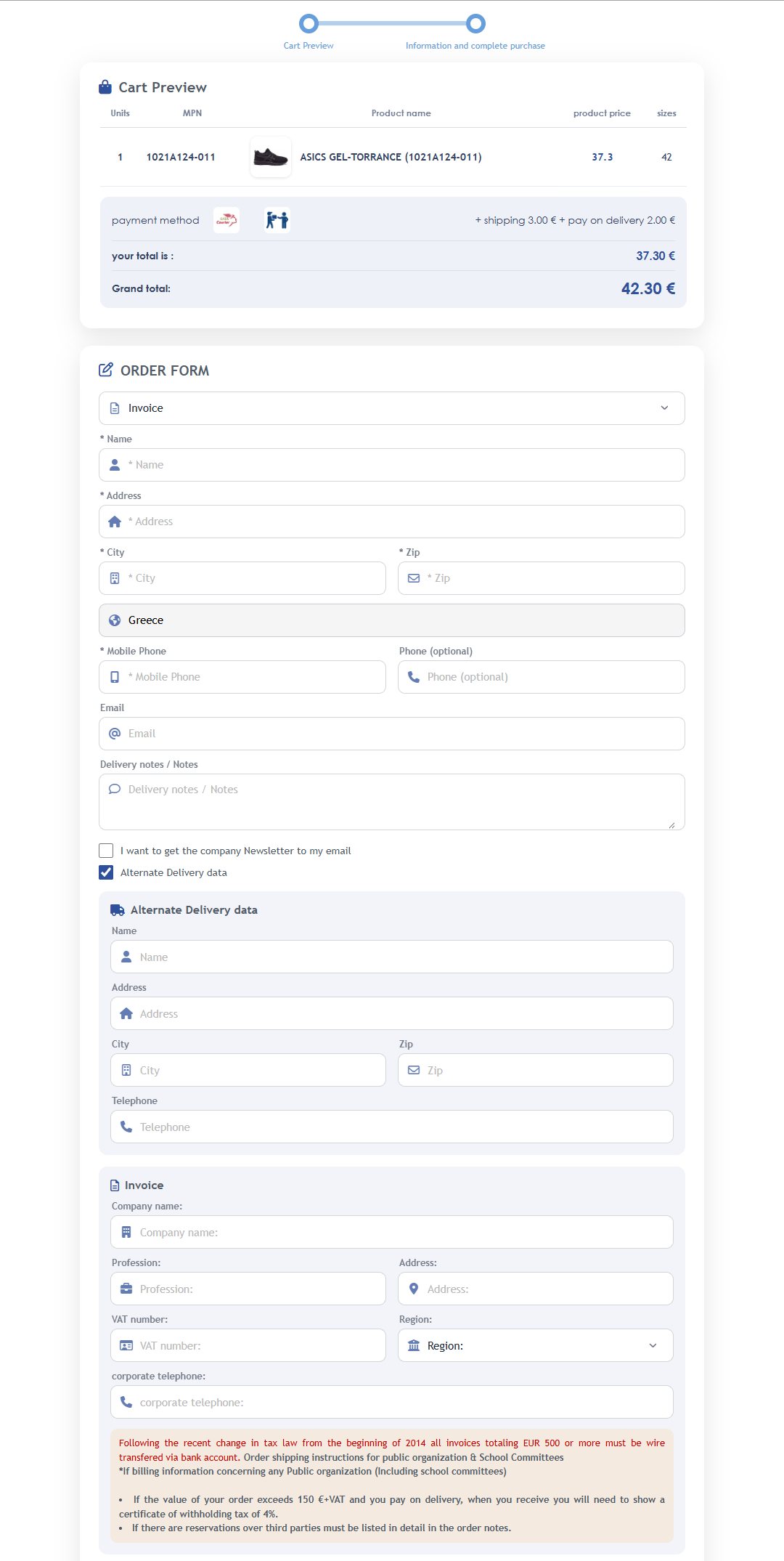
- Summary: products, shipping and payment methods, charges and grand total.
- Receipt or invoice: choosing invoice opens the company fields (name, profession, address, VAT number, tax office, phone).
- Customer details: fields marked * are required. For a logged-in customer they are filled from the account.
- Different delivery details and newsletter signup.
- Accepting the terms of use: once ticked, the button that sends the order appears.
After sending, the customer receives a confirmation email; for card or PayPal payments they first go to the payment page. The order appears in the Orders list.
On mobile